
Where to Get High-Quality 3D Product Renders for an Online Store
The reason most online store owners cannot get a clear answer about 3D product rendering cost is that "3D render" covers about a tenfold price range. A simple bottle on a white background and a luxury watch in a styled lifestyle scene are both technically 3D renders. They cost wildly different amounts, take wildly different times, and require wildly different studios.
This piece is a practical guide for the brand managers and e-commerce founders trying to commission CGI for the first time, or trying to understand why their last quote was three times the budget they had in mind. It covers the cost ranges actually being charged in 2026, what drives the number up or down, what to send a studio to keep the quote sane, and how to tell a render that will sit cleanly on a product page from one that quietly screams "CGI" the moment a shopper looks at it.
What 3D product rendering costs in 2026
Industry pricing has settled into reasonably consistent bands across studios this year, which makes budgeting easier than it used to be. A few benchmark figures, cross-referenced from recent published guides:
A basic product on a white background, the kind of image used as a primary product page hero, runs around $100 to $300 per image with established studios, and $75 to $250 with experienced freelancers. A configured product with multiple parts and material variations — a piece of consumer electronics with metal, plastic, and glass surfaces, for example — sits around $300 to $900 per image. High-end or luxury products, where surface accuracy matters at micro level (jewellery, premium tech, fine packaging), run $400 to $1,500 per image. A full e-commerce package with multiple angles plus a lifestyle scene per product is typically quoted at $800 to $3,500 per product, though brands ordering across larger catalogues regularly negotiate 20% to 40% discounts at volume.
A few patterns sit underneath those numbers. Furniture renders tend to fall in the $300 to $900 mid-band per image because the geometry is straightforward but materials (wood grain, fabric weave, leather) demand attention. Apparel CGI is technically the most demanding category and prices accordingly: fabric simulation, stitching accuracy, and print fidelity push it towards the upper end. 3D animations of products are a different conversation; a basic 30 to 60 second clip starts around $2,000 to $5,000 and goes well above that for cinematic walkthroughs.
The cost-saving logic of CGI is also clearer once a few products are produced. Brands moving from photoshoots to CGI for catalogue work commonly report 30% to 90% cost savings at scale, because once the 3D model exists, every additional image, angle, or variant generated from it is dramatically cheaper than re-shooting.
Why CGI now beats photography for many catalogues
For a long time, CGI was framed as a technical alternative to "real" photography. In 2026, for many product categories, the framing is reversed. CGI is the practical default and photography is the special case.
A few reasons drive this. Variant production in CGI is near-free once the model exists: changing a sofa from grey to navy, swapping a watch strap, adding a new colourway to a bottle is a render setting, not a shoot. Update cycles get faster: a brand that adds a new SKU mid-season can have it on the site in days rather than scheduling a shoot. Conversion data has caught up with the workflow: Shopify-cited figures across recent reports place 3D and AR-enhanced product content at up to 94% conversion lift over standard product imagery, and the merchant data is consistent enough that 3D commerce has moved from "nice to have" to a normal commercial tool.
The case for photography stays strong where the product needs to communicate texture, scale, and human context that CGI struggles to capture without significant lifestyle build-out: food, certain skincare, certain apparel. For most other categories, the cost-time-control balance now favours CGI.
What to send the studio to keep costs down
The fastest way to keep a CGI quote reasonable is to send the studio what it actually needs at the start. Most cost overruns come from missing inputs.
A clean 3D model from CAD or industrial design files is the single biggest cost-saver. If the product was designed in SolidWorks, Rhino, or similar software, the studio can usually clean and re-mesh that file at a fraction of the cost of modelling the product from scratch. Without it, modelling becomes the largest line in the quote.
Physical samples or detailed material references matter for surface accuracy. A swatch card, a high-resolution photo of the actual material under good light, or the product in hand all let the studio match the render to reality. Without those references, the studio has to interpret, which means either revisions or a render that does not match the physical product.
A clear shot list is the third saver. Each angle, each lifestyle context, each crop ratio listed in advance. Studios quote per image; ambiguity in the shot list creates either re-quotes or scope drift.
A reference image of the visual style is the fourth. Two or three pictures of the look you want — colour mood, light direction, shadow style — let the studio set the lighting once instead of iterating five times.
A brand colour reference, ideally as an exact Pantone or hex value, is the fifth. CGI rendering can produce colour to specification, but only if the specification is given.
How to spot a high-quality render before commissioning
A few visual markers separate work that holds up from work that doesn't.
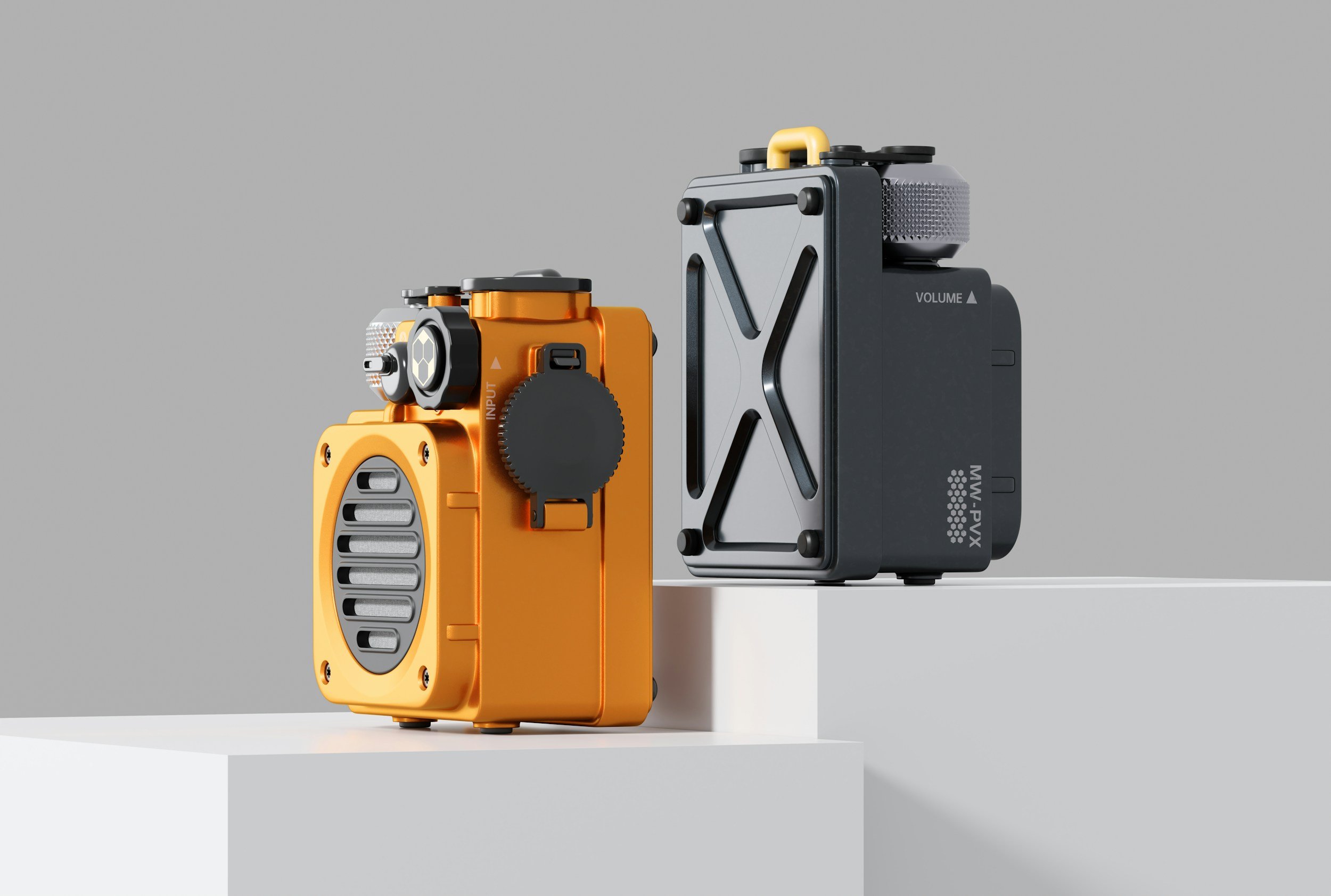
Material correctness is the first. Metal that reads as metal under the light direction in the scene. Glass with believable refraction and edge thickness. Fabric with weave at the right scale. Wood with grain that follows the geometry rather than sliding across it. These are the details that separate studios with strong material libraries from studios using defaults.
Light direction consistency is the second. In a high-quality render, every shadow in the frame agrees about where the light is coming from, including the contact shadows under the product. Mismatched shadow directions are a near-instant tell of CGI built quickly.
Micro-imperfections are the third.
