


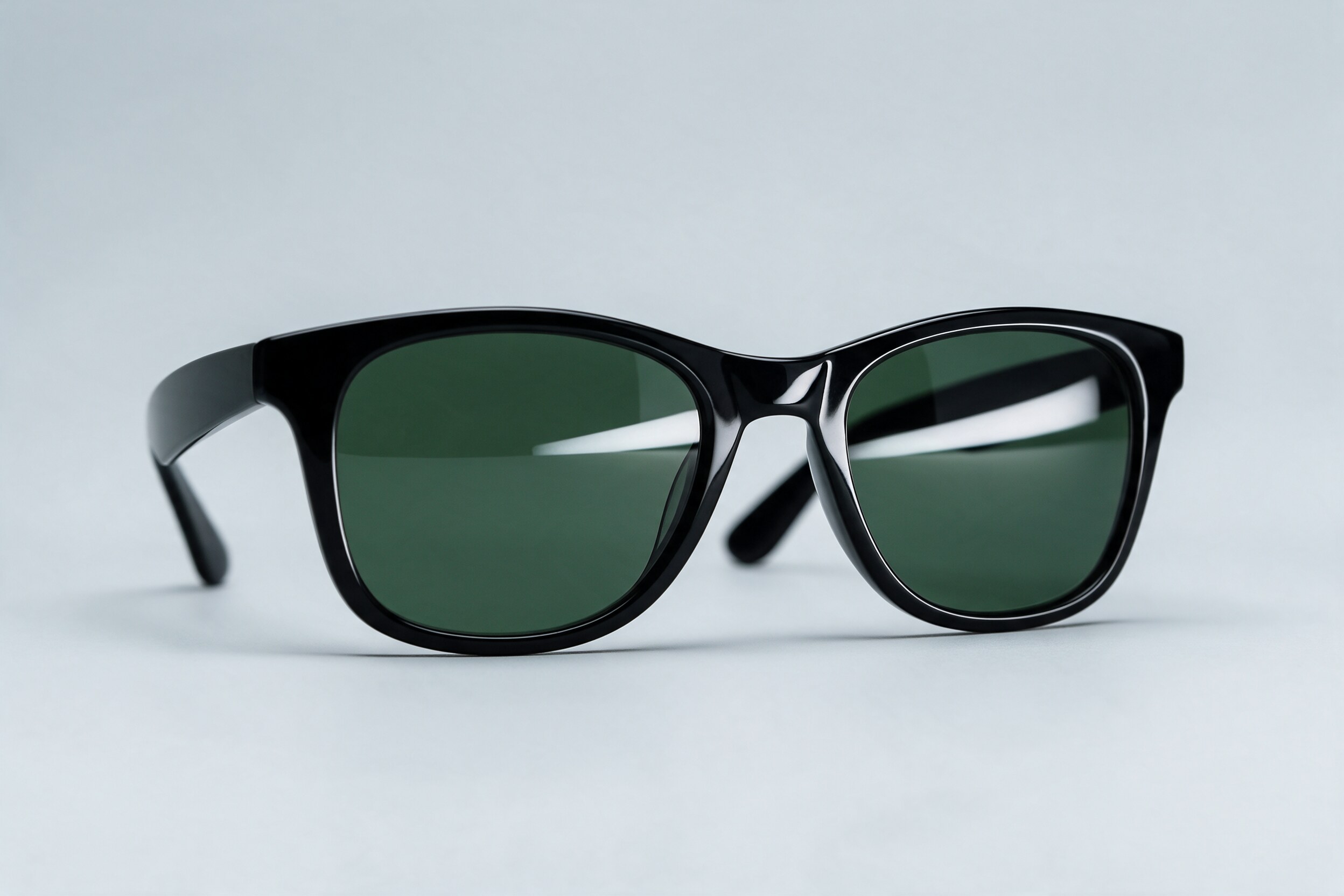
Eyewear looks simple in a photo: a frame, two lenses, a clean background. Behind that simple look is one of the trickier product categories to shoot and retouch. Lenses are transparent and reflective at the same time. Frames are thin, glossy and full of tiny details. And the product is small, so every speck of dust shows.
Eyewear has been part of our retouching work for many years, and Mehmet has 26 years in post-production. This is how we think about it, and what a buyer should know before sending a set of glasses for retouching.
Why glasses are hard
Most products either reflect light or let it through. Lenses do both. A lens shows whatever is in front of it: the softbox, the camera, the photographer, the ceiling. It also shows what is behind it: the background, the inside of the frame, the opposite temple arm.
So the main job is not to remove all reflections. A lens with no reflection at all looks flat, like a hole or a sticker. The job is to keep one or two clean, intentional reflections that show the lens is glass, and remove the messy ones.
Frames bring their own problems. Acetate shows every scratch and fingerprint. Metal frames reflect the room. Hinges, screws and nose pads are tiny but visible at zoom on a product page. And because frames are thin, any cut-out (separating the product from its background) must be precise along long, curved edges.
Controlling reflections: camera first, retouch second
The cleanest results come from good capture. A few things help a lot before anyone opens Photoshop.
Large, soft light sources make reflections that are smooth and easy to shape. Flags and black cards stop unwanted reflections of the room. A polarizing filter can cut reflections from glass and other non-metal surfaces (Canon), though it does not work the same way on metal (glass.photo). With polarized sunglass lenses, test the filter on a few frames first, because it can change how the lens itself looks.
When a single exposure cannot do everything, shoot a few frames without moving the camera: one lit for the frame, one for the lenses, one for the background. Then the retoucher combines the best parts. This is often faster and more honest than painting reflections by hand.
In retouching, we then:
- Remove reflections of the camera, people and room objects.
- Keep or shape one clean highlight per lens, matched left to right.
- Even out lens tint, so both lenses are the same colour and density.
- Check that what you see through the lens (the background, the far temple arm) makes sense.
Frame edges, dust and details
Dust is the most time-consuming part of eyewear retouching. Clean the product well before shooting, with gloves and a blower, and it saves real money in post.
After that, we clean scratches and fingerprints on the frame, straighten edges that look wavy, and make sure hinges and screws are crisp. For acetate, we keep the natural pattern and depth of the material; over-smoothing makes it look like plastic. For metal, we keep the reflections believable and consistent across the set.
Symmetry matters too. Viewers notice when one lens is brighter, one arm is longer, or the frame tilts slightly. Small corrections here make a big difference in how premium the product feels.
Clean backgrounds and when to composite
Most e-commerce images need a clean white or light grey background. Many marketplaces have strict rules for the main image, so check the platform's own guide before you shoot.
The hard part is the shadow and the see-through areas. A pair of glasses on white needs a soft, natural contact shadow, or it floats. And the background seen through the lenses must match the background around them. If the lens is tinted, the background behind it should look tinted too.
A composite (several images combined into one) often beats a single shot in these cases:
- Folded and open versions from exactly the same angle.
- Colourways of the same frame that must line up perfectly in a grid.
- Lenses that need different light from the frame.
- Lifestyle images where the glasses are placed on a separate background.
The point is not to fake the product. It is to show the real product more clearly than one exposure can.
If you also sell jewelry or other reflective small products, the same thinking applies; we wrote about it in our jewelry retouching brief guide.
A practical takeaway
Before sending eyewear for retouching, prepare:
- Raw files, or the highest quality files you have, from a locked camera.
- Extra frames lit for the lenses, if you have them.
- One approved reference image showing the reflection style you like.
- The real lens colour, described or photographed in daylight.
- The background spec and shadow style for each channel.
- A clear note on what must stay true: logo position, lens tint, frame finish.
With this, the retoucher can spend time on quality, not on guessing.
Good eyewear images look effortless, but they come from careful light and patient finishing. If you would like to see more of our product retouching and compositing, you can find it at 35milimetre.com.