


November 17, 2026
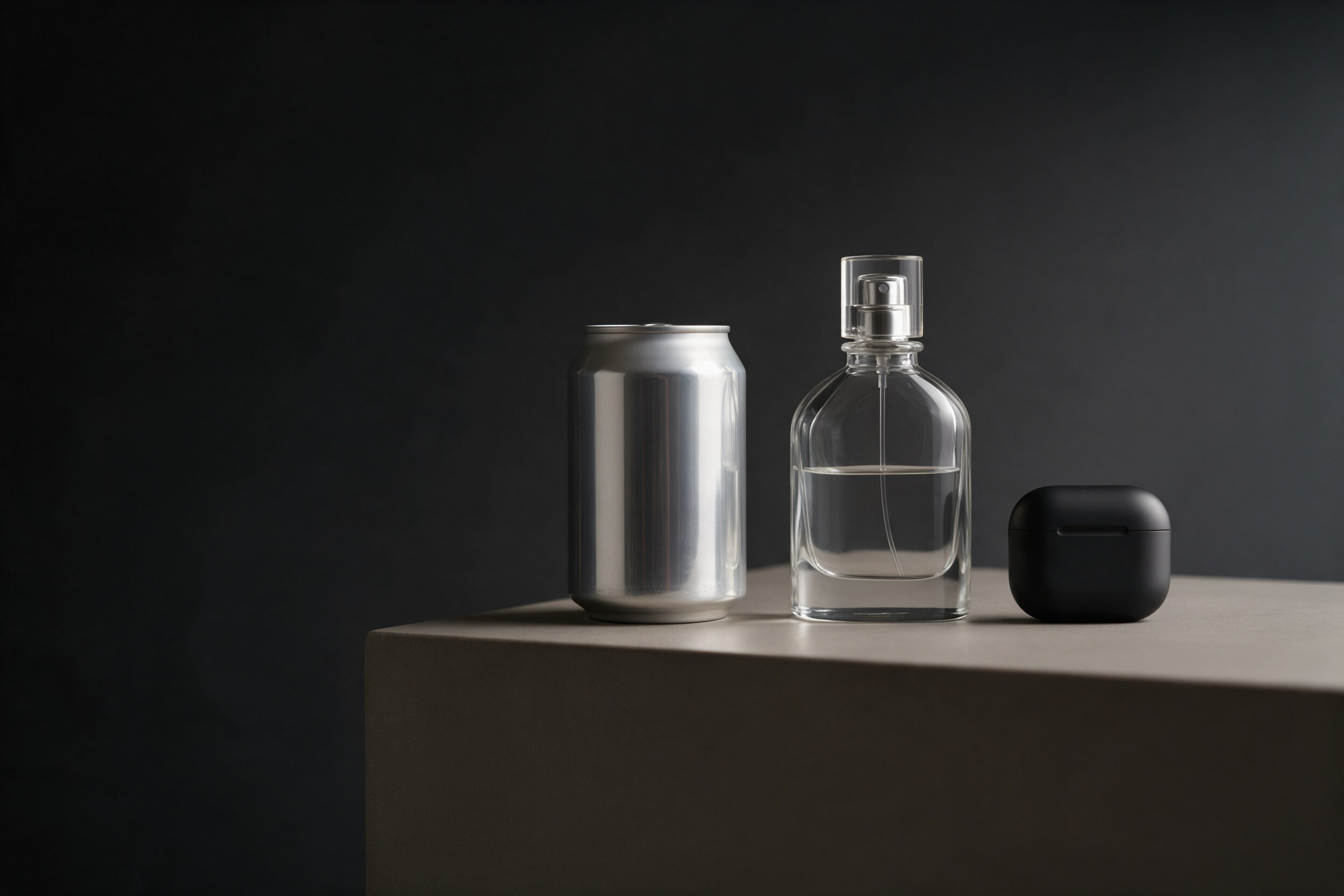
Two brands can ask for "five renders of our product" and get quotes that are thousands of dollars apart. Usually neither studio is wrong. A matte aluminum can and a perfume bottle full of liquid are very different jobs, even when the shot list looks identical.
This guide breaks down 3D product rendering cost by product type, using the price ranges we publish, and shows which cost drivers to check in any quote you receive. You should come away able to estimate a realistic budget before the first call, and to spot a quote that is missing something.
How a 3D rendering quote is built
Almost every 3D quote has the same three layers, whether the studio itemizes them or not:
- The 3D model. Built once per product, from CAD files, dielines or a physical sample. This is the biggest single cost and the one that varies most by product type.
- The images. Each packshot or lifestyle scene is priced per image once the model exists.
- Animation, if any. Priced per film, because it adds motion design, longer render times and editing.
For reference, our own published ranges on the 35milimetre pricing page are $300–$900 per 3D product model, $90–$200 per packshot render on a solid background, $200–$400 per CGI lifestyle scene, and $2,500–$7,500 for a 10 to 20 second 3D product animation. We wrote about the general budgeting logic years ago in Budgeting for 3D Projects; here the focus is on how the product itself moves the number.
Other studios publish wider bands. One rendering studio's guide (a vendor's own figures) lists $100–$300 per image for basic white-background products and $400–$1,500+ for luxury or high-complexity materials (Framesixty). The pattern is the same everywhere: materials and geometry decide where you land.
3D product rendering cost by product type
Our pricing page puts it plainly: simple packs sit at the low end of the model range, while glass, liquids and organic shapes sit at the high end. Here is what that means in practice.
Cans, cartons, pouches and tubes
These are the most predictable jobs. The shape is simple, the material is usually one or two finishes, and the real work is mapping the artwork onto the pack without distortion. If you can send the print-ready dieline, the model sits near the bottom of the range.
What pushes it up: foil and metallic inks, embossing, shrink sleeves, condensation, or a pouch with soft wrinkles that has to look filled rather than inflated.
Glass bottles, spirits and anything with liquid
Glass is where budgets grow. Clear glass shows everything behind it and bends light through the liquid inside, so the model, the materials and the lighting all need more time. Renders also take longer to compute, and the cleanup in post-production is heavier because reflections and refractions must read cleanly.
What pushes it up further: colored or frosted glass, a liquid with a visible meniscus, bubbles, labels seen through the back of the bottle, and metal closures.
Cosmetics and personal care
Jars, pumps, droppers and tubes are not hard shapes, but they combine several materials in one product: glossy plastic, a metallic collar, a matte cap, sometimes a transparent body with product inside. Every material is its own setup. If the image also shows texture, such as a cream swirl or a serum drop, that is closer to a small effects job than a packshot.
Electronics and design-led products
Earbuds, speakers and small devices have many parts and precise finishes. When the manufacturer can supply CAD, modeling is faster and more accurate; when they cannot, the studio rebuilds it from photos and measurements, which costs more and needs more checking.
This is the category where animation is most often worth the money. For the Unplugs × Live Nation partnership, we modeled the earbuds and their case and animated them from scratch for a kiosk and the website, then delivered the film in every aspect ratio the campaign needed. Because everything lived in 3D, one set of scenes fed every format, and the product's shape, finish and color stayed exact in every frame. That is the trade-off you pay for in a 3D product film: a higher upfront cost, in exchange for control and reuse.
Food, organic shapes and soft goods
Bread, fruit, fabric and anything without hard edges sit at the high end of modeling. Natural surfaces need detailed textures and careful lighting to avoid looking plastic. In these cases, ask whether photography, or a mix of photography and CGI, would serve you better before committing to full 3D.
Worked example: budgeting from published ranges
Ranges become useful when you multiply them out. Using only the published numbers above, as an illustration rather than a quote:
- One can, four packshots: one model at $300–$900 plus four packshots at $90–$200 each gives roughly $660–$1,700.
- One glass bottle, two packshots and two lifestyle scenes: the model will likely sit at the upper part of $300–$900, plus $180–$400 for the packshots and $400–$800 for the scenes.
- A 15-second product film: $2,500–$7,500, and a model that already exists from a stills job can be reused.
The real savings arrive with variants. Once a model is approved, a new flavor or colorway is often a material or artwork swap, not a new build. We explain how that works in Rendering Many Product Variants.
Which cost drivers should you check in a quote?
Before you compare two quotes, make sure they describe the same job. Check these points line by line:
- Input files. Is the price based on CAD, dielines, or modeling from a physical sample? Modeling from photos is slower.
- Materials. Has the studio seen every finish: foil, glass, liquid, metal, soft-touch?
- Model and images priced separately. You should see what the model costs and what each additional image costs.
- Per-variant price. If you have more SKUs coming, ask what each one adds.
- Number of views and output sizes. A 2,000 px e-commerce image and a print-resolution poster are different renders.
- Revisions. How many rounds are included? Ours include two on every project.
- Deadline. A rush date moves the price; ask how much.
- Deliverables. Do you receive only final images, or also the 3D model? Agree on this before you start.
Red flags in a 3D rendering quote
- One flat number with no split between modeling and images, so you cannot see the cost of the next image.
- No mention of materials, which usually means the studio has not looked closely at your product.
- "Unlimited revisions," which often means the scope was never fixed.
- A very low price for glass or liquid products, which often means a stock bottle model with your label pasted on.
- No question about your files. A studio that does not ask for CAD, dielines or measurements is guessing the shape.
Practical takeaway
Start your budget with the product, not the shot list. A simple pack lands near the low end of modeling costs; glass, liquids, multi-material cosmetics and organic shapes land near the high end. Ask every studio to price the model, each image and each variant separately, state the revision rounds, and name the deliverables. With those five lines in front of you, quotes become comparable, and the cheapest one is no longer a guess.
If you are planning renders for a new product or range, the most useful first step is to show us what you are working with. Send us your pack shot or CAD file, and we'll reply with an approach and a quote within one business day.