


29 Jan 2025
A swatch photo has one job: show the customer the true shade before they buy. If the color on screen is off, the image is not doing that job, however good it looks.
For L'Oréal US we retouched a swatch photoshoot of roughly 40 to 50 images, through an agency working with the brand. The task was to match every swatch exactly to the product's color palette and clean up each image, while keeping the skin looking like real skin. This was pure photo editing and color grading: no 3D and no AI.
What did L'Oréal US need?
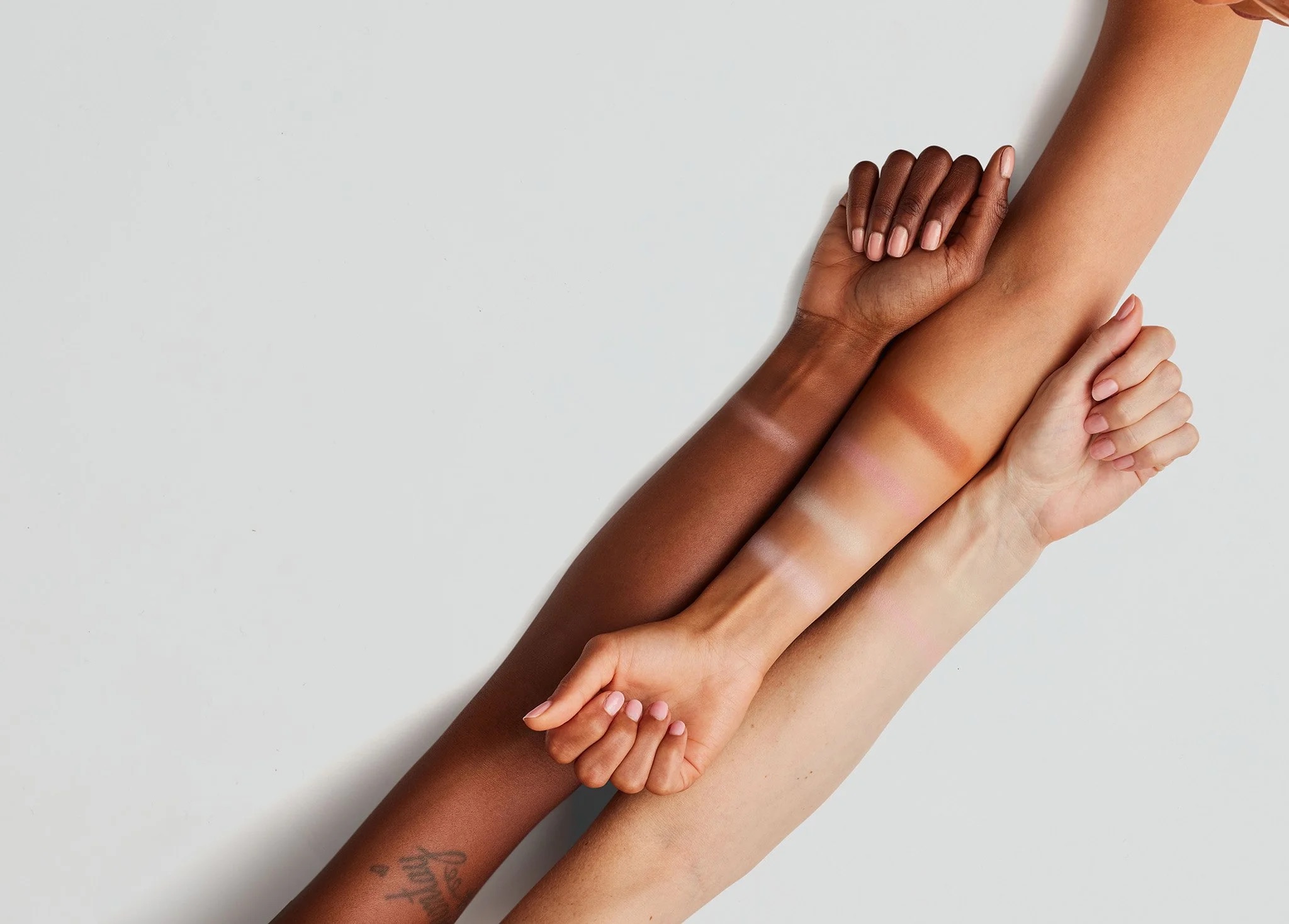
The shoot showed product swatches on arms across a range of skin tones, from deep to light. The brief was precise: each swatch in the final image had to match the reference color of the actual product, and every image had to be cleaned up to a finished, brand-ready standard.
There was a lot of editing in it. Swatch shoots produce many similar frames, and each one has to be just as accurate as the last.
Why are swatch photos so hard to get right?
A camera never records color exactly as it is. Lighting, white balance and the sensor itself all shift it a little, and makeup pigments are very sensitive to those shifts. A nude shade can drift pink or orange with a small change in light.
Skin tone adds a second layer. The same shade reads differently on deep skin than on light skin, which is the point of showing it on several tones. That means each swatch has to be corrected on its own, in its own context, rather than with one global adjustment.
What did we do?
The work was mainly retouching, with some compositing where an image needed it.
- Matching each swatch to the palette. We corrected the color of every swatch locally, so it matched the product reference, without shifting the skin around it.
- Cleaning up the images. Stray product, marks and small distractions were removed so the eye goes straight to the shades.
- Keeping the skin real. No blurring or smoothing that would erase texture. Pores and fine lines stay, because a swatch on skin that looks plastic stops being believable.
- Consistency across the set. With 40 to 50 images, the same shade had to look the same everywhere it appeared.
What was the hardest part?
Doing both at once: matching each swatch exactly to the real product color while keeping natural skin texture. Correcting color locally can easily flatten the skin under it, and smoothing skin can easily shift the swatch. Every correction had to be checked against the palette and against the skin.
What this project shows
Beauty retouching for e-commerce and catalogs is less about making things prettier and more about making them true. The shade is the product. Our job was to make sure what a customer sees on screen is what they get in the tube, on every skin tone in the set.
We have 26 years of retouching behind work like this. You can see more of our beauty and product retouching at www.35milimetre.com.