

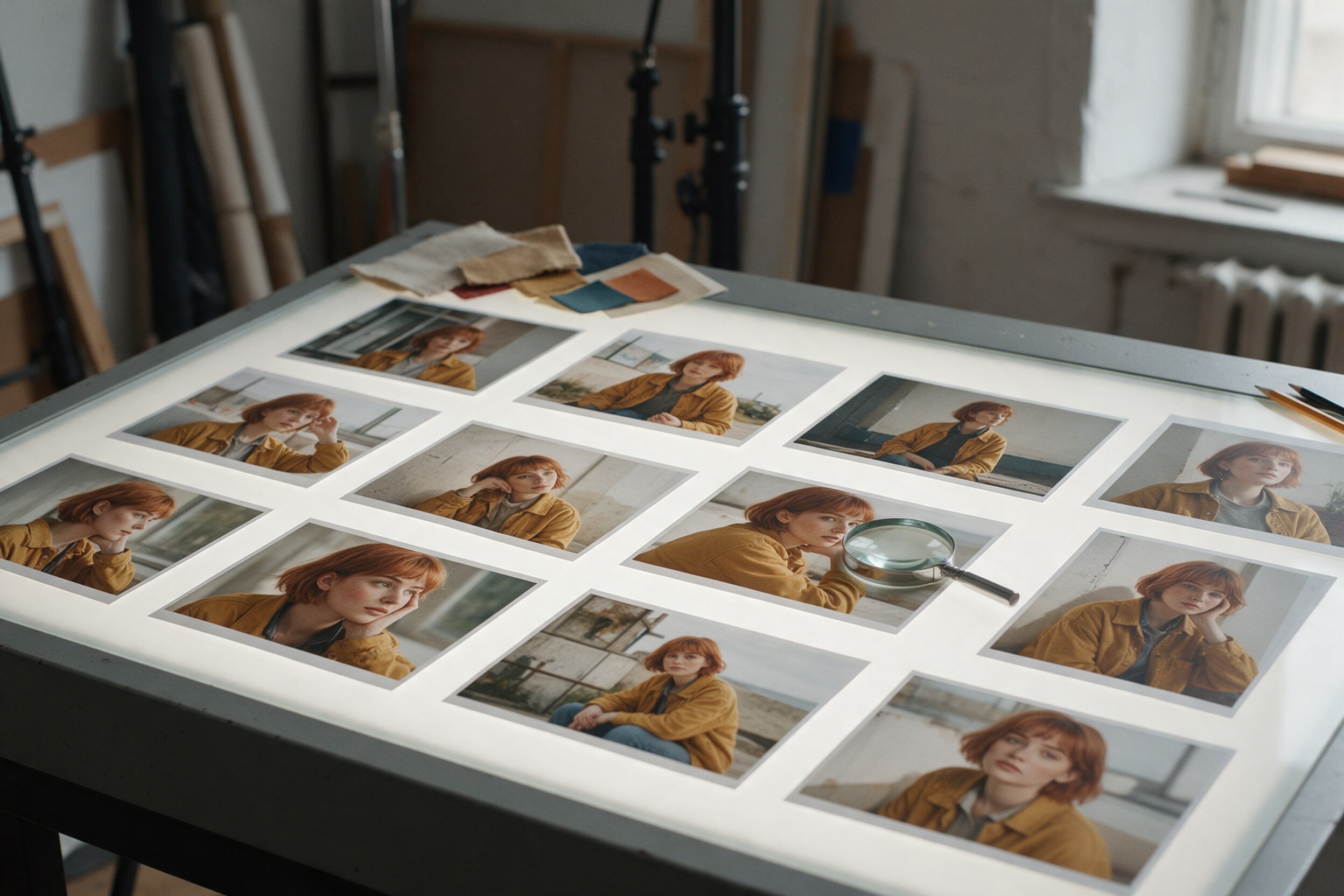
One good AI image is easy now. Twenty images of the same person, in the same jacket, with the same face in every frame, is still hard. That gap is where most AI image projects go wrong.
We have worked with AI imagery for about the last year, and Mehmet has 26 years in post-production. The pattern we see is simple: when a set falls apart, it is rarely the model's fault alone. Usually nobody decided, up front, what "the same" actually means. This checklist is for buyers who want a set that holds together.
Why AI characters drift
Image models do not remember a person. Each image is a new guess, guided by your text and any reference images you give it. If the guide is loose, the guess moves: the jaw gets softer, the hair gets longer, the jacket changes shade, the age shifts by five years.
Current models are much better at this than they were. Google says its Nano Banana Pro model can blend up to 14 input images and keep the resemblance of up to five people (Google). That is a real step forward. But "can keep" is not "always keeps". Across a long set, small changes add up, and a viewer who scrolls your feed will notice them.
There are two common ways to hold a face steady. The first is reference images: you feed the same approved pictures into every generation. The second is a small trained model of the character, often called a LoRA (a light add-on trained on a few dozen images of one subject). One vendor guide suggests references for quick work and single campaigns, and keeps trained add-ons for projects that need hundreds of images of one very distinctive character (getimg.ai). That is a vendor's view, and it also promotes its own tool, but the basic split is a useful starting point.
What to lock before you order the set
Before anyone generates image one, these decisions should be written down and approved.
- The face. Pick one approved portrait, front and three-quarter. This is the master. Every later image is compared to it, not to the image before it.
- A reference sheet. Front, side, back, full body, in neutral light. It shows proportions, height and build, which a single portrait cannot.
- Hair and skin details. Length, parting, colour, freckles, moles, scars. Small marks are the first things to vanish or move.
- Wardrobe. The exact garments, colours and how they are worn. A sleeve rolled up in one image and down in the next reads as a mistake.
- Lighting family. Not one setup for every image, but a range: soft daylight, warm interior, no hard flash. Light changes how a face reads more than most people expect.
- What can change. Pose, location, expression, camera angle. Say it clearly, so the team knows where freedom is allowed.
If you are building a long-running character, like a virtual brand face, there is more to plan. We wrote about that in So You Want an AI Influencer.
The checks that catch drift
When the images come back, check them as a set, not one by one. A face that looks fine alone can look wrong next to its neighbours.
Put all images in one grid at the same size. Then put the master portrait next to each image and compare the parts that drift most: eye shape and spacing, nose width, jawline, hairline and ear shape. Look at hands too; extra or merged fingers still appear.
Next, check the wardrobe. Buttons, seams, zips, prints and logos on clothing are where models invent things. If the jacket has four buttons in the master, count them.
Then check colour. Put the images side by side and look at skin tone and the key garment colour. Warm and cool shifts between images are common, and they make a set feel like it came from different shoots.
Finally, look at the set at the size it will be used. A phone feed hides some issues and exposes others, like a face that is slightly wider in one post.
Where retouching still does the work
Honestly, no current model gives a perfect set straight out of generation. The last step is still human. A retoucher fixes the small drifts: pulls a jaw back in line, restores a missing mole, matches a jacket colour, cleans fingers, and grades the set so it sits together.
This is also where you decide what to throw away. In our experience, it is faster to drop an image that drifted badly and generate a new one than to rebuild a face by hand. Retouching is best for small corrections across many images, not for rescuing one bad image.
There are also limits worth knowing. Close-ups are harder to keep consistent than mid shots, because every detail of the face is on show. Groups are harder than single people. Unusual features, like a strong scar or a very specific hairstyle, need more references and more checking. And if you need the character to match a real person, you need that person's clear consent, plus legal advice on how the images can be used.
A practical takeaway
Before you order a set, ask for three things in writing: the approved master portrait, a reference sheet, and a short list of what may change and what may not. When the set arrives, review it in one grid next to the master, and check face, wardrobe and colour in that order. Ask that final retouching and a colour match across the set be part of the job, not an extra.
If you do only one thing, do this: approve the face before you approve anything else. Everything else in the set depends on it.
Consistency is not magic, and it is not automatic. It comes from clear decisions at the start and careful checks at the end. If you want to see how we finish and match images, you can look at our work at 35milimetre.com.