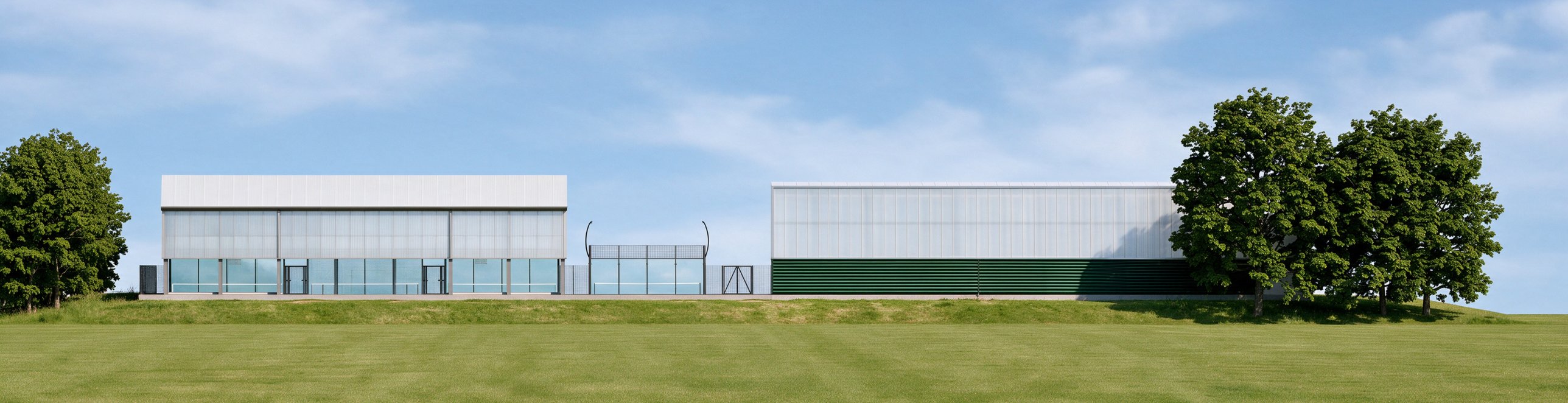


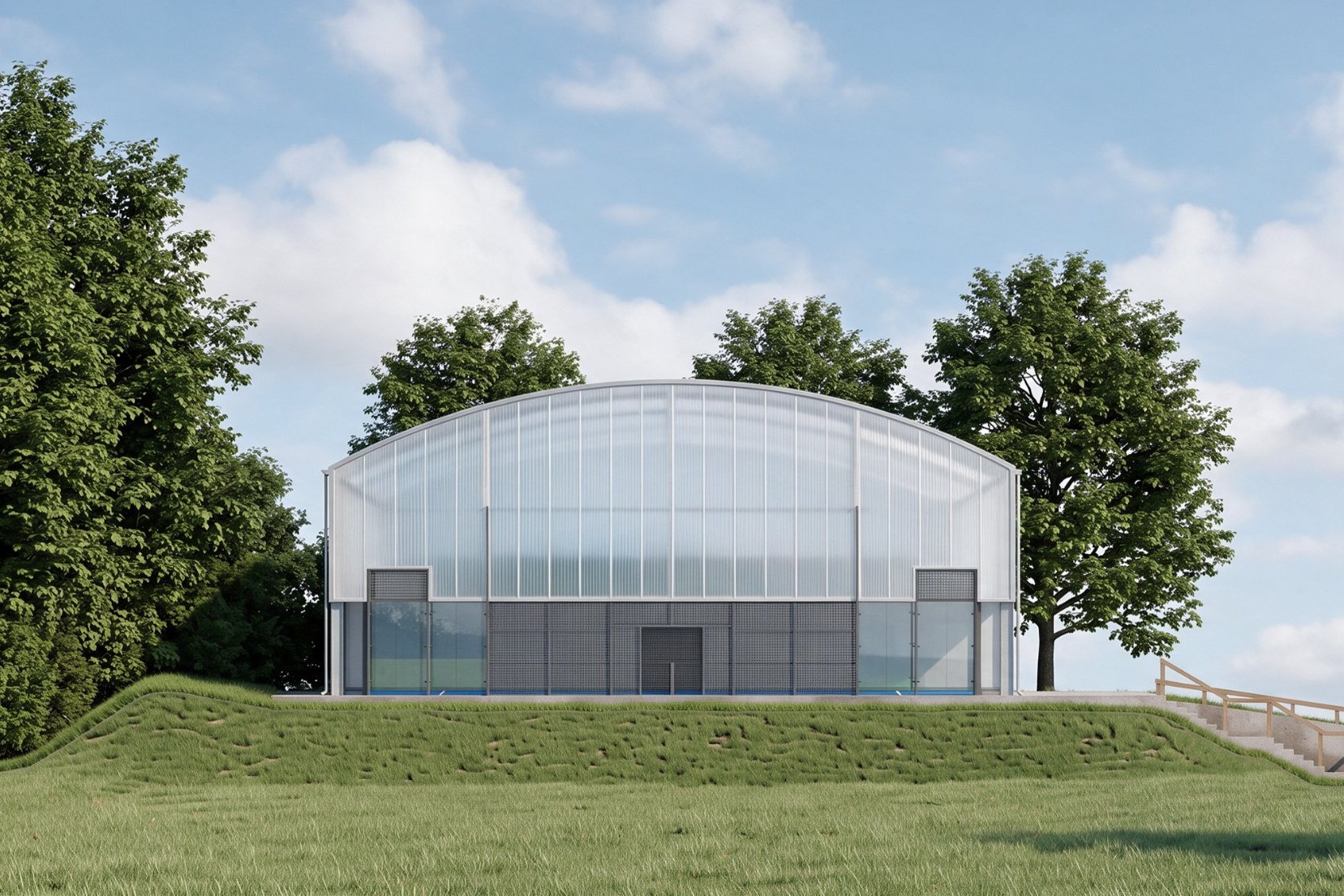
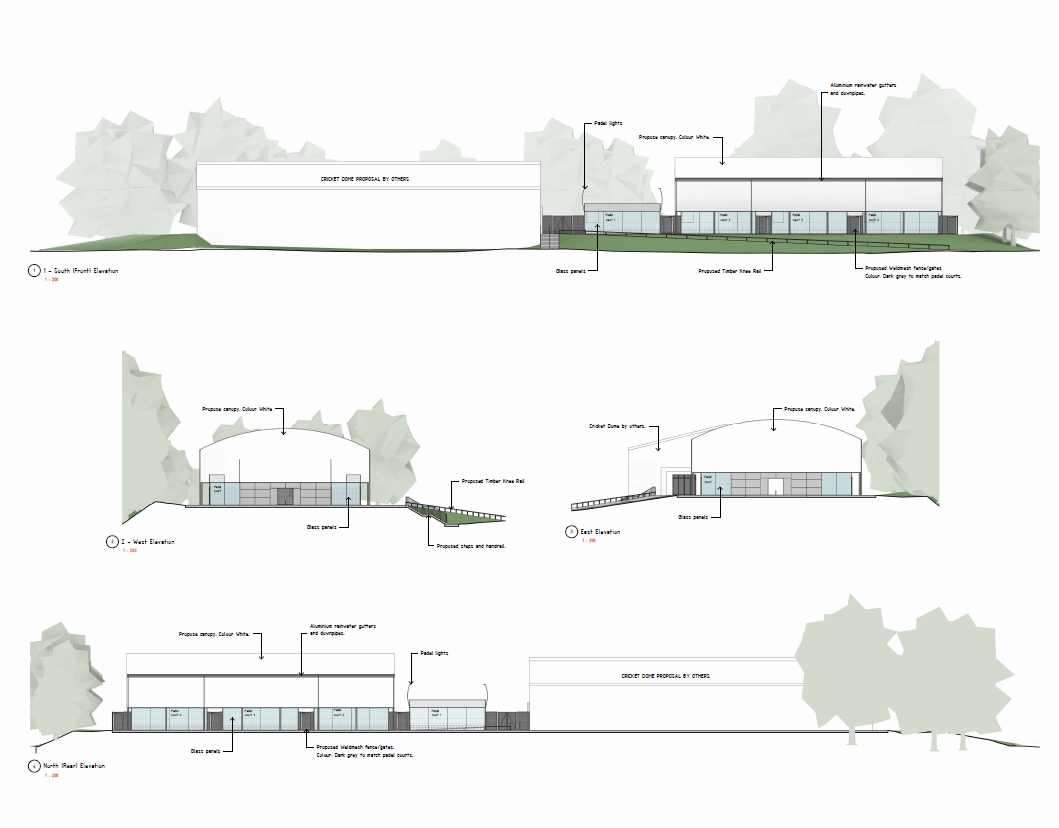
A company that builds sports structures sent us one architect's elevation drawing: padel court canopies next to a cricket dome, in flat gray lines with labels. They could already produce high-end renders in-house. The problem was cost. Their team could only model and render for paying clients, not for every inquiry that came in.
So the question was simple: can AI architectural visualization turn a drawing like this into a convincing image fast, without a 3D model? We tested it on four elevations. This article shares what worked, what didn't, what it costs in time and money, and where we think the technology is heading.
What did we actually do with the drawing?
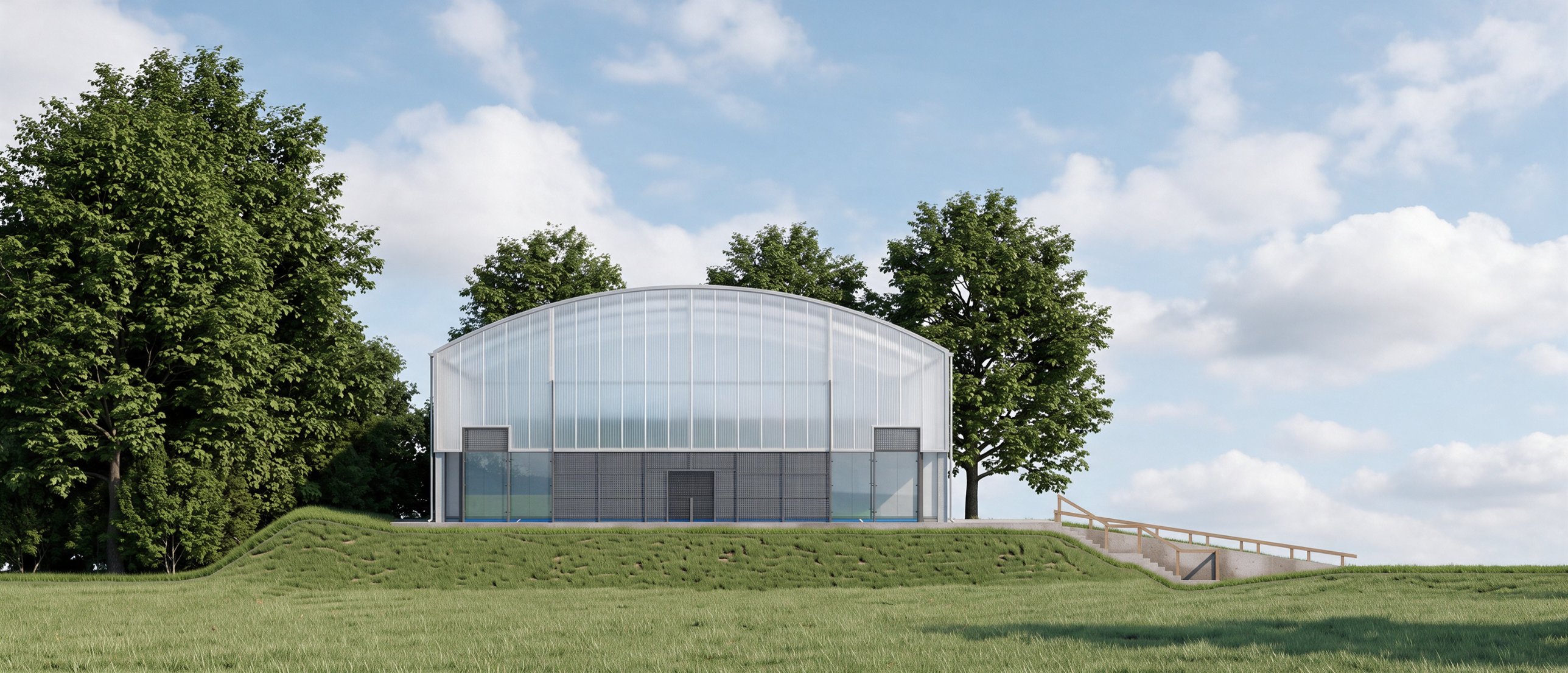
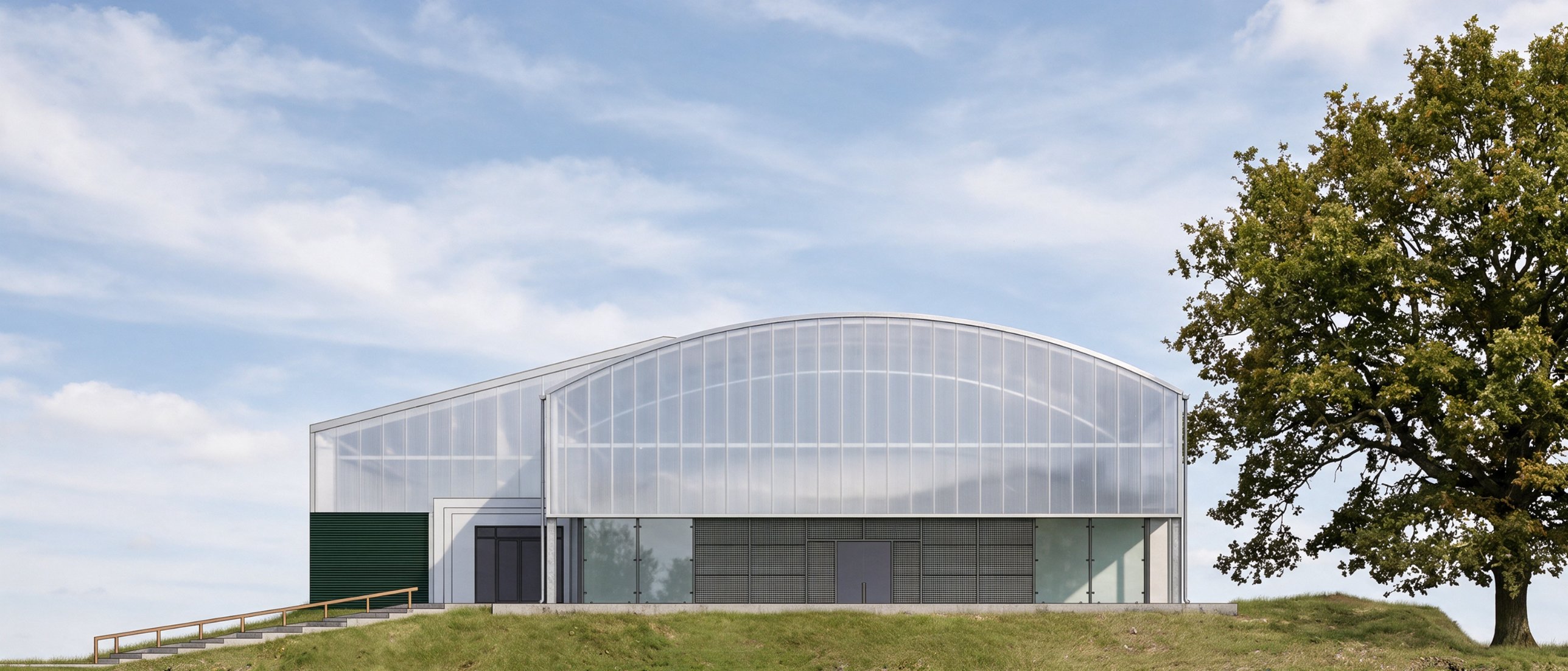
The brief was clear. Apply the real materials: a translucent polycarbonate canopy on the padel courts, a polycarbonate roof and upper walls on the cricket building, and green louvered panels below. Add believable grass, trees, and sky. The client also shared photos of structures they had built before, so we had a material reference.
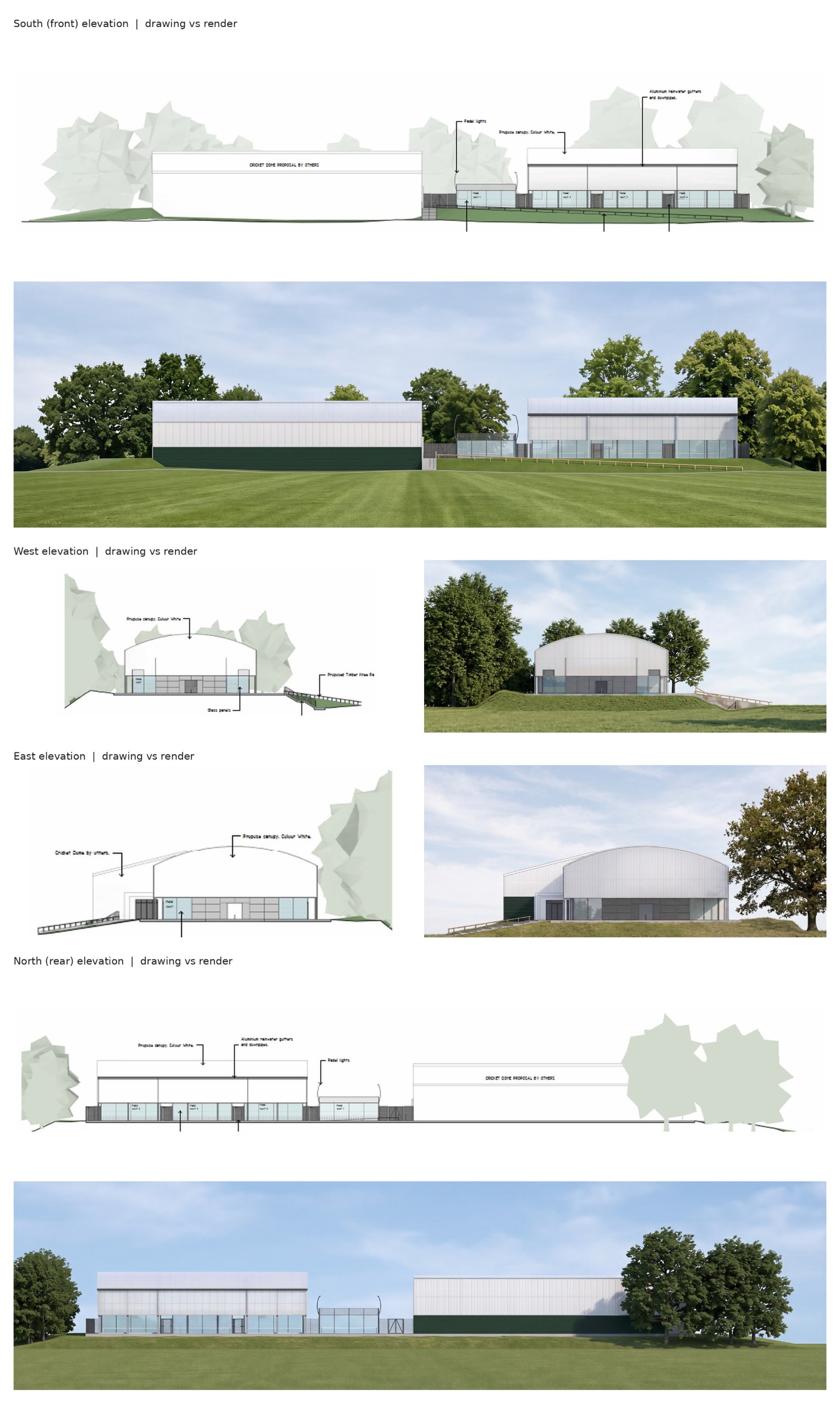
We used two image models, Google's Nano Banana and ByteDance's Seedream, and gave them the drawing as the structure and the photos as the material reference. Each output then went into Photoshop, where we checked it against the drawing: panel counts, the canopy curve, door positions, the steps, and the timber rail. Anything the model had "improved" was fixed or regenerated.
Each view took under 30 minutes, including the checks. The client's feedback was that the set was most of the way there and needed only small tweaks.
How does AI compare with 3D rendering on time and cost?
The traditional route is well known. Someone models the building, sets up materials and lighting, renders, then retouches. One render studio's own guide gives 1 to 3 working days for a simple exterior image and 4 to 7 days for a complex one, assuming the model already exists (Maverickframe). The same studio lists exterior renders at roughly $800 to $3,500 per image (Maverickframe's pricing guide). These are a vendor's figures, but they match what we see in the market.
With AI, there is no modeling step. The model fees per image are a few dollars. The real cost is the artist's time: writing the prompts, running variations, and checking every detail against the drawing. That last step is what turns an AI image into something a company can actually send to a prospect.
So the gap is large: minutes and a small fee against days and a four-figure invoice. But the two outputs are not the same product, and that matters.
What are the pros of AI architectural visualization?
- Speed at the inquiry stage. A builder or architect can answer a new lead with a realistic image the same day, while interest is high.
- No model required. A clean elevation or perspective export is enough to start.
- Cheap to explore. Trying a second cladding color or a different season costs minutes, not a re-render.
- Good at surfaces. Materials, light, foliage and sky are where AI does very well, and that is where much of a traditional render's time goes.
And the cons: where does AI still fall short?
The biggest risk is accuracy. An AI model has never seen your building. Given room, it changes proportions, adds or drops panels, and invents fixings. For a company selling a real structure, a nice image of a slightly different building is a problem. A review of Nano Banana for architecture on Architizer reports the same thing: elements shifting between angles and details that would be unacceptable in construction documents.
Other limits we see in production:
- One camera at a time. A 3D model gives you any angle once it exists. With AI, every new view is a new generation, and keeping several views consistent takes work.
- Small edits are harder. Moving a light or changing one panel is a click in 3D. In AI it can mean regenerating and checking again.
- Real site context is unreliable. The client asked if we could place the building in its real surroundings from a map link. With a single viewpoint and no elevation data, we told them honestly that the chance of success was low.
- It needs a human check. Without a person comparing output to drawing, errors reach the client.
This is why our view is clear: AI is the right tool for fast, early-stage and pitch visuals. When a client pays for precision, such as planning submissions, marketing for a sold project or anything construction-accurate, a proper 3D model and render is still the safer route. We would not mix the two in one deliverable set, because the difference in precision shows.
Where does this fit in a studio workflow?
For us, the drawing is the anchor. The best results come when geometry is locked first: an elevation, or a perspective view exported from the CAD model. The AI then adds only materials, light and setting. Our 3D artist models architecture and interiors in 3ds Max, so we know the traditional route well, and we use it when a job needs it. If you want the full picture of that route, our guide on commercial renderings covers it.
The practical takeaway for builders and architects: send AI the cleanest drawing you have, give it real material photos, and budget time for a human to check the result. Skip any of the three and quality drops fast.
What is next for AI in architectural visualization?
The tools are moving toward the workflow architects already use. In February 2026, Chaos released Veras 4.0, which brings Google's Nano Banana Pro into SketchUp, Revit and Rhino and, by Chaos's own account, holds geometry better than before (Architosh). When AI works inside the CAD file instead of from a screenshot, much of the accuracy risk shrinks.
The second shift is from single images to spaces. World Labs made its Marble world model generally available in November 2025. It builds navigable 3D worlds from text, images or video, and exports them as Gaussian splats, meshes or video (World Labs). It is not yet a tool for construction-accurate buildings, but it points toward walk-through previews made from a few images. Image-to-video models are heading the same way; we covered their limits in 3D-referenced AI video.
Practitioners stay measured. A London architect whose practice works with AI from the concept stage told Bespoke Careers that AI speeds up early exploration but is not yet reliable for later design stages. That matches what we saw on this test.
Our expectation: within the next few years, the split will be less "AI or 3D" and more "AI on top of 3D." Geometry from the model, surfaces and atmosphere from AI, and a human making sure the image shows the building that will actually be built.
If you have drawings that need to look real, fast, you can see more of our work at 35milimetre.